Remote Desktop Feels Slow in Glasses: Test the Stream Before the Display
A Beam Pro and Air 2 Ultra owner describes a satisfactory remote-desktop session on a home network, while acknowledging that the same arrangement might not suit gaming.
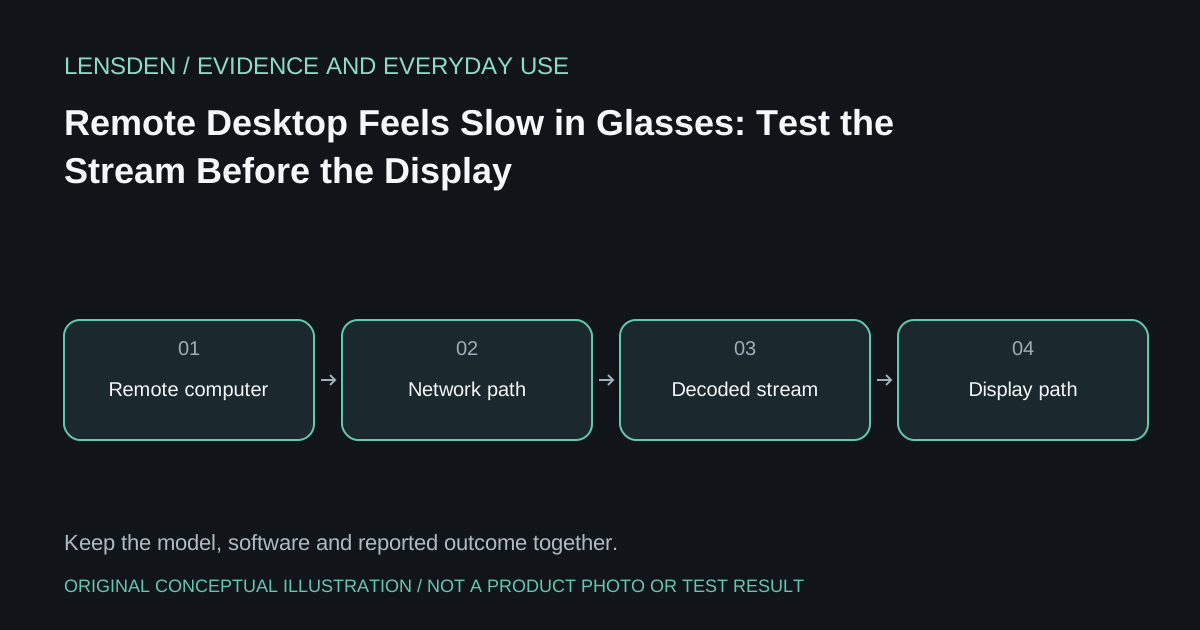
A Beam Pro and Air 2 Ultra owner describes a satisfactory remote-desktop session on a home network, while acknowledging that the same arrangement might not suit gaming. That is a personal assessment, not a measured latency result or a promise about use away from home.
The experience provides a useful question for another buyer: which part of the task needs to be responsive? Reading a document, moving a pointer and aiming in a game do not impose identical requirements. A stream that is acceptable for one can still disappoint in another.
Start by identifying the complete path: the computer rendering the desktop, the streaming application, network, Beam Pro or phone receiving it, and glasses presentation. A visible delay can enter before the image reaches the glasses. Do not infer a display-panel fault from a slow remote cursor alone.
A three-comparison check
First, use the desktop locally on its normal monitor. Second, view the remote session on a supported client without changing the host workload. Third, compare the intended glasses arrangement. Use ordinary non-sensitive material, and state any client or application changes that prevent a strict comparison.
If the local computer itself struggles, increasing the stream bitrate is unlikely to answer the whole problem. If the received video hesitates while a local glasses interface remains smooth, record that difference. Keep the description observable instead of assigning the delay to Wi-Fi, decoding or tracking without evidence.
The Moonlight project's troubleshooting guide separates streaming symptoms and connection problems. Use the section for the actual client and host. Do not confuse it with unrelated products sharing the Moonlight name, and do not weaken router or employer security rules as a routine troubleshooting step.
Rehearse the destination
A good home-network result does not establish remote performance at a hotel, workplace or mobile hotspot. Before relying on it, check whether the network permits the approved method and whether a conventional workflow remains available. Do not assume that buying more expensive glasses changes an unreliable upstream connection.
Keep version and settings notes alongside any statement that the system “works for coding.” Lensden's workspace guide distinguishes the remote desktop from multiple independent spatial screens. The cited report's exact firmware and measured delay remain unspecified. Reviewed November 3, 2026. Lensden has not reproduced the session or endorsed a remote-access service.